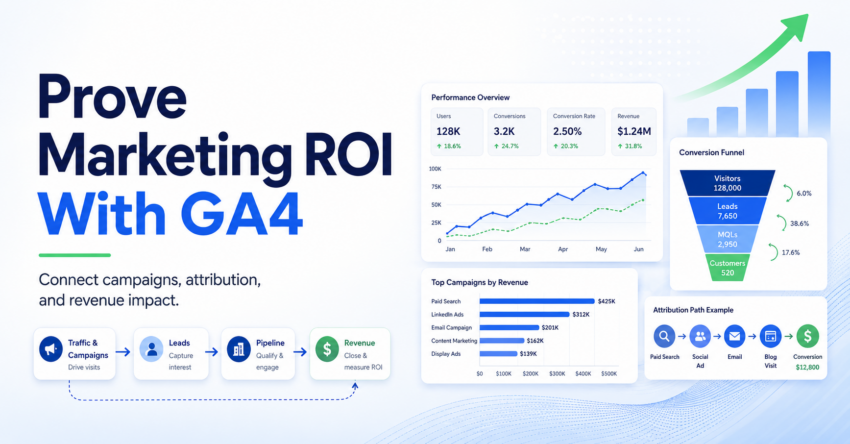
Most CEOs do not want another marketing dashboard.
They want to know one thing.
Is marketing helping the business grow?
That is where many marketing reports fail. They show traffic, clicks, impressions, CTR, sessions, and leads. These numbers matter, but they do not always answer the CEO’s real question.
To prove marketing ROI using GA4, you need to connect campaign activity with key events, attribution paths, qualified leads, pipeline, and revenue impact.
GA4 can help, but only if you use it with the right questions in mind.
Which campaigns are creating demand?
Which channels are helping conversions?
Which touchpoints are getting too much credit?
Which marketing activities are helping sales conversations move forward?
This blog shows how to use GA4 and attribution models to build a CEO-ready marketing ROI story.
Not a vanity report.
A business case.
Quick Answer
To prove marketing ROI using GA4, track key events, use clean UTM parameters, compare attribution models, review conversion paths, and connect GA4 data with CRM revenue data. CEOs do not need every metric. They need to see which campaigns influenced pipeline, revenue, and business growth.
What This Blog Covers html
Why CEOs Do Not Care About Vanity Marketing Metrics
Most marketers are not short of data.
They are drowning in it.
GA4 gives you sessions, users, traffic sources, engagement, key events, landing pages, devices, campaigns, and attribution reports. Add CRM, LinkedIn Ads, Google Ads, email reports, and dashboard tools, and you have more numbers than any CEO will ever read.
The problem is not data access.
The problem is business translation.
A CEO does not wake up thinking, “How many sessions did organic search drive last month?”
They think about revenue, cost, pipeline, customer acquisition, market share, and growth.
So when marketing shows a dashboard full of activity metrics, leadership may listen politely. But the real question remains unanswered.
What Did Marketing Help Create?
This is the gap most marketing reports fail to close. They show activity, but they do not always prove business impact.
What did marketing help create?
Pipeline? Qualified opportunities? Revenue influence? Sales conversations? Better-fit leads? That is the story leadership wants.
Clicks are not ROI.
Traffic is not ROI.
Impressions are not ROI.
Even leads are not always ROI.
The real ROI story starts when marketing connects activity to pipeline, revenue, lead quality, and business growth.
A lead only matters if it moves closer to business value. That value may be pipeline, opportunity creation, sales meetings, product signups, revenue, or customer expansion.
A good marketing ROI report does not just say, “Here is what happened.”
It says, “Here is what marketing helped the business achieve.”
That shift changes the entire conversation.
What Marketing ROI Really Means in B2B
Marketing ROI is simple in theory.
You compare what marketing influenced or generated against what marketing spent.
But in B2B, the buyer journey is rarely simple.
One lead may visit a blog, click a LinkedIn post, attend a webinar, return through organic search, download a guide, speak to sales, and then convert after a direct visit.
Who gets credit?
The blog?
The webinar?
LinkedIn?
Organic search?
Sales?
This is why B2B marketing ROI cannot depend on one report or one click.
You need to look at contribution.
Marketing ROI in B2B usually includes:A simple way to explain it is this:
Marketing ROI means showing how marketing spend helped create measurable business value.
That value may not always be closed revenue right away. In long B2B cycles, it may start with qualified pipeline, buying intent, sales conversations, or account engagement.
This is why your CEO report should not be built around surface-level metrics.
It should answer business questions. htmlHow GA4 Helps Prove Marketing ROI
GA4 is useful because it shows what people do before they become leads, customers, or opportunities. It helps you move from traffic reporting to action-based reporting.
GA4 Is Built Around Events
A user visits your pricing page.
A user submits a demo request.
A user downloads a resource.
A user registers for a webinar.
User Action
Someone visits a page, clicks a CTA, downloads a guide, or fills a form.
Event Tracking
GA4 records that action as an event, not just as another pageview.
Key Event
The most important actions can be marked as key events for reporting.
ROI Story
You can connect these actions with campaign, channel, and CRM data.
Useful GA4 Key Events for B2B Marketing
You can mark the most important actions as key events. These are the actions that matter most to your business.
Where Attribution Becomes Useful
GA4 helps you see where users came from, which campaigns brought them in, what pages they visited, and which channels played a role before key events happened.
Attribution helps you understand how different channels contribute to key events. It can show whether one channel is closing demand, creating early awareness, or helping leads return later.
But GA4 Has Limits
GA4 can show digital behavior, key events, attribution paths, and campaign performance. But it cannot prove full revenue impact alone.
- !GA4 can show what happened before the lead.
- !It cannot fully show whether that lead became pipeline or revenue.
- !You need CRM data to connect digital actions with sales outcomes.
The Most Important Point
Source, campaign, landing page, events, key events, and attribution paths.
Lead status, MQL, SQL, opportunity value, closed-won revenue, and sales movement.
Set Up These Basics Before Reporting Marketing ROI
Before you walk into a CEO review with GA4 data, make sure the basics are right. Clean setup makes the ROI story easier to defend.
Bad setup creates bad ROI conversations.
If your events, UTMs, forms, CRM fields, and sales definitions are messy, your marketing ROI report will turn into a debate.
Define What Counts as a Meaningful Action
Not every website action deserves the same weight. Start by defining what matters to the business.
A blog visit is not the same as a demo request. A pricing page visit is not the same as a newsletter signup. A guide download is not the same as a sales consultation form.
This helps you avoid treating every conversion like it has the same value.
Mark Important Actions as Key Events
Your key events should reflect real business actions, not random website activity.
Once you define important actions, track them properly in GA4. If demo requests drive pipeline, then demo form submissions should be a key event.
- If pricing page visits show buying intent, track them as meaningful events.
- If webinar registrations are a strong mid-funnel signal, track them too.
- Make GA4 reflect your business priorities, not just your website activity.
Use Clean UTM Tracking
UTMs are not glamorous, but they can save your reporting.
If your campaign links are messy, your source and medium data will be messy too.
Use a simple UTM structure:- utm_source
- utm_medium
- utm_campaign
- utm_content
- utm_term, when needed
?utm_source=linkedin&utm_medium=paid_social&utm_campaign=ga4_roi_webinar&utm_content=ceo_dashboard_ad
Keep naming consistent. Do not use five versions of LinkedIn.
Avoid this:- linkedin.com
- li
- paidlinkedin
That makes reporting painful.
Connect Forms With CRM Fields
This is where GA4 and CRM start working together.
When someone submits a form, pass campaign data into your CRM. At minimum, capture the fields that help connect campaign source with sales outcomes.
- Source
- Medium
- Campaign
- Landing page
- First touch, if possible
- Latest touch, if possible
- Form submitted
- Lead status
- Opportunity value
- Closed-won revenue
Your report may stop at: “We generated 200 leads.”
Your report can say: “We generated 200 leads, 42 became SQLs, 11 became opportunities, and ₹X pipeline was influenced.”
That is a different conversation.
Align With Sales Before Reporting
Marketing and sales need shared definitions before ROI reporting starts.
If these questions are not clear, ROI reporting becomes a debate.
- What counts as an MQL?
- What counts as an SQL?
- When should sales reject a lead?
- What makes a lead sales-ready?
- What source data should be trusted?
The campaign worked.
The leads were weak.
Confused.
Fix the definitions first.
Simple Rule
Before reporting marketing ROI, clean the setup. Define meaningful actions, track key events, use consistent UTMs, connect CRM fields, and align with sales. That is how GA4 data becomes CEO-ready.
Use GA4 Key Events to Track Real Business Actions
The biggest mistake in GA4 reporting is tracking everything and valuing nothing.
You do not need to make every action a boardroom metric.
Focus on actions that show intent.
A B2B website usually has different layers of intent.
Low intent:
- Blog visit
- Homepage visit
- Social click
- Newsletter signup
Medium intent:
- Guide download
- Webinar registration
- Case study view
- Product page visit
High intent:
- Pricing page visit
- Demo request
- Contact sales form
- Trial signup
- Consultation booking
This matters because not all leads are equal.
If one campaign drives 500 guide downloads but no SQLs, and another campaign drives 30 demo requests with 10 sales conversations, the second campaign may be more valuable.
GA4 key events help you separate activity from intent.
Your CEO does not need to know every event.
They need to know which actions are moving the business forward.
A simple report can show:
- Total key events
- High-intent key events
- Key events by channel
- Key events by campaign
- Key events by landing page
- Cost per key event
- Key event to SQL conversion, if connected to CRM
This makes marketing performance easier to understand.
Use Attribution Models to Explain Channel Impact
Attribution models help you explain how different touchpoints get credit before a user completes an important action.
This matters because buyer journeys are rarely one-click.
A buyer may first discover you from organic search, return through LinkedIn, click an email, then submit a demo request after a branded search.
If you only look at the final click, you may think branded search did all the work.
That is dangerous.
Last-click thinking can make you underinvest in channels that create or nurture demand.
Attribution helps you see the wider journey.
In GA4, attribution reporting can help you compare how credit changes across models and how channels contribute before key events happen.
The goal is not to find a perfect model.
There is no perfect model.
The goal is to ask better questions.
For example:
- Is paid search closing demand or creating it?
- Is organic search helping early research?
- Are email campaigns bringing users back before conversion?
- Is LinkedIn supporting awareness before demo requests?
- Are webinars influencing later sales conversations?
- Are some campaigns getting too much credit because they are closer to the final click?
This is how attribution helps marketing leaders.
It does not give you a magic answer.
It gives you a smarter view of the journey.
How to Read Attribution Paths in GA4
Attribution paths help you see the steps users take before they trigger key events.
This is useful because it shows how channels work together.
Do not only look for the final channel.
Look at the full path.
Ask these questions:
Which Channels Start the Journey?
These are awareness or demand creation channels.
Examples may include:
- Organic search
- YouTube
- Display
- Referral traffic
- Blog traffic
These channels may not always close leads, but they may start important journeys.
Which Channels Assist the Journey?
These channels help users return, learn, compare, or build trust.
Examples may include:
- Retargeting
- Organic search
- Webinars
- Case study pages
- Resource pages
Assist channels often get ignored when reporting is too last-click focused.
Which Channels Close the Journey?
These are the final touchpoints before a key event.
Examples may include:
- Paid search
- Direct traffic
- Branded search
- Remarketing
- Pricing page visits
- Contact page visits
These channels matter, but they should not receive all the glory without context.
How Many Touchpoints Happen Before Conversion?
A high-value B2B lead may need several visits before converting.
That is normal.
If your attribution paths show multiple touchpoints, do not treat that as a problem.
It may mean your buyer needs education before action.
How Long Does Conversion Take?
Some users convert in one day.
Others return after two weeks.
Some need months.
This matters for campaign reporting. If you judge a campaign too early, you may kill it before it matures.
Attribution paths help you explain this to leadership.
A campaign may not create demo requests in week one, but it may assist conversions later.
That is a real insight.
Connect GA4 With CRM Data to Prove Real ROI
This is where most marketing ROI reporting breaks.
GA4 data stays in GA4.
CRM data stays in CRM.
Then marketing tries to prove ROI with half the story.
That will not work.
GA4 tells you where the lead came from.
CRM tells you whether that lead was worth anything.
To prove ROI, connect the two.
You need to know:
- Which campaigns generated leads
- Which leads became MQLs
- Which MQLs became SQLs
- Which SQLs became opportunities
- Which opportunities became revenue
- Which channels influenced pipeline
- Which campaigns created poor-quality leads
- Which sources created better-fit opportunities
This is the real marketing ROI story.
For example, GA4 may show that Campaign A generated 300 form submissions and Campaign B generated 80 form submissions.
At first glance, Campaign A looks better.
But CRM may show:
- Campaign A: 300 leads, 12 SQLs, 2 opportunities
- Campaign B: 80 leads, 24 SQLs, 9 opportunities
Now the story changes.
Campaign B created fewer leads but better business value.
That is exactly the kind of insight your CEO needs.
Volume alone can mislead.
Quality changes the story.
Build a CEO-Ready Marketing ROI Report
A CEO-ready report should be short, sharp, and tied to business outcomes.
Do not dump every GA4 screen into a slide deck.
Do not show 25 metrics.
Do not make leadership decode your dashboard.
Build the report around questions your CEO actually cares about.
| CEO Question | What to Show |
| Is marketing working? | Pipeline and revenue influenced |
| Which channels matter? | Channel contribution and attribution paths |
| Are leads good? | MQL to SQL and opportunity conversion |
| What should we invest in? | Channel ROI and next actions |
| What should we stop? | Low-quality campaigns and wasted spend |
A strong CEO report can follow this structure:
1. Executive Summary
Start with the answer.
Example:
Marketing influenced ₹X pipeline this quarter. Paid search generated the highest number of high-intent key events, but organic search and email assisted several conversion paths. Lead quality improved from last month, with MQL to SQL conversion increasing by X%.
2. Pipeline and Revenue View
Show:
- Pipeline generated
- Pipeline influenced
- Revenue influenced
- Closed-won revenue, if available
- Average deal size from marketing-sourced leads
3. Channel Performance
Show channels by business value, not just volume.
Include:
- Key events
- SQLs
- Opportunities
- Cost per qualified lead
- Pipeline influenced
- Attribution role
4. Campaign Performance
Highlight the campaigns that created qualified demand.
Do not only show top campaigns by clicks or leads.
Show which campaigns moved leads deeper into the funnel.
5. Attribution Insights
Explain how channels worked together.
Example:
LinkedIn did not close many demo requests directly, but it appeared in several assisted paths before branded search and direct traffic conversions.
That tells a better story than “LinkedIn has low last-click ROI.”
6. What Changed This Month
Show movement.
Did lead quality improve?
Did paid spend become more efficient?
Did organic traffic support more high-intent actions?
Did a campaign generate weak leads?
Did sales reject fewer leads?
Movement matters.
7. What Marketing Will Do Next
End with action.
Example:
Next month, we will shift budget from low-quality lead campaigns to high-intent search and retargeting. We will also improve landing page tracking and pass UTM data into CRM for cleaner source reporting.
This is how you turn reporting into leadership confidence.
Common Mistakes to Avoid
Marketing ROI reporting breaks when the report focuses on activity instead of business impact. These mistakes make GA4 data harder to defend in front of leadership.
More data does not mean better reporting.
A CEO report should explain what marketing helped create. Not every click, visit, lead, or dashboard metric deserves the same attention.
Reporting Traffic as ROI
Traffic alone is not enoughTraffic is not ROI. Traffic is only useful if it creates business action.
A blog may bring awareness. That is valuable. But do not call it ROI unless you can connect it to meaningful outcomes.
Show which traffic sources led to key events, qualified leads, pipeline, or revenue influence.
Treating All Leads Equally
Lead quality mattersA demo request and a low-intent download are not the same.
If your report treats both as equal conversions, your ROI story becomes weak.
Separate high-intent leads from low-intent leads. Lead quality matters more than lead volume.
Relying Only on Last-Click Data
The full journey gets missedLast-click reporting can make closing channels look better than demand creation channels.
This can lead to poor budget decisions because early-stage and assist channels get ignored.
Use attribution paths to understand the full journey before deciding which channels deserve more budget.
Not Using UTMs Properly
Messy links create messy dataBad UTM discipline breaks campaign reporting.
If every marketer names campaigns differently, your data becomes messy fast.
Create UTM naming rules and stick to them across every campaign, channel, and content asset.
Keeping GA4 and CRM Separate
Half the story is not enoughGA4 without CRM gives you behavior.
CRM without GA4 gives you sales outcomes.
Connect both. Together, they give you the ROI story leadership actually wants.
Showing Too Many Metrics to the CEO
More metrics create more noiseA CEO report should not look like an analytics dump.
Show the few numbers that explain business impact.
Cut the noise. Focus on pipeline, revenue influence, qualified lead quality, and next actions.
Less Noise. More Clarity.
The best ROI report does not show everything marketing touched. It shows what marketing helped create and what should happen next.
Final Take
Marketing ROI is not proved by showing more charts.
It is proved by connecting marketing activity to business results.
GA4 gives you the event, channel, and attribution view. CRM gives you the sales and revenue view. Together, they help you tell a better story.
The goal is not to make marketing look busy.
The goal is to show how marketing helps create pipeline, influence revenue, and guide smarter growth decisions.
That is how you prove marketing ROI using GA4.
Not with vanity metrics.
With business impact.
FAQs
What is the best way to prove marketing ROI using GA4?
The best way to prove marketing ROI using GA4 is to track key events, use clean UTM links, review attribution paths, and connect GA4 data with CRM revenue data. GA4 shows the digital journey. CRM shows whether those leads became pipeline or revenue.
Which GA4 reports help with marketing attribution?
The most useful GA4 reports for marketing attribution are attribution paths, attribution models, traffic acquisition, landing page reports, and key event reports. These reports help show which channels started, assisted, or closed important user actions.
Is GA4 enough to prove marketing ROI?
GA4 is not enough by itself for full ROI proof. It shows user behavior, channels, campaigns, and key events. To prove revenue impact, you need CRM data such as MQL, SQL, opportunity value, closed-won revenue, and sales cycle movement.
What attribution model should marketers use in GA4?
Data-driven attribution is a strong starting point because it gives credit based on how touchpoints contribute to key events. Still, marketers should compare models and review attribution paths before making budget decisions.
How do I explain marketing ROI to a CEO?
Explain marketing ROI in business terms. Show pipeline influenced, revenue influenced, qualified lead quality, channel contribution, CAC trend, and next actions. Avoid dumping every GA4 metric into the report. CEOs need the story, not every click.

Want to Collaborate?
Open to guest posts, partnerships, link collaborations, and marketing discussions. If you’re building something interesting, let’s connect.
Connect on LinkedIn