Most B2B marketers use AI the same way.
They open ChatGPT when they are stuck. They ask for a blog intro, a few LinkedIn hooks, or an email subject line. Sometimes the output is decent. Most of the time, it feels average.
Then they go back to doing the work manually.
That is not an AI problem. That is a workflow problem.
The real value of AI prompts for B2B marketers comes when you stop using AI randomly and start using it for repeatable marketing jobs. Content planning. Outbound research. SEO briefs. Campaign strategy. Reporting. Sales enablement.
I use prompts like these every week because they save time on the blank-page work. They do not replace marketing thinking. They help me get to the sharper version faster.
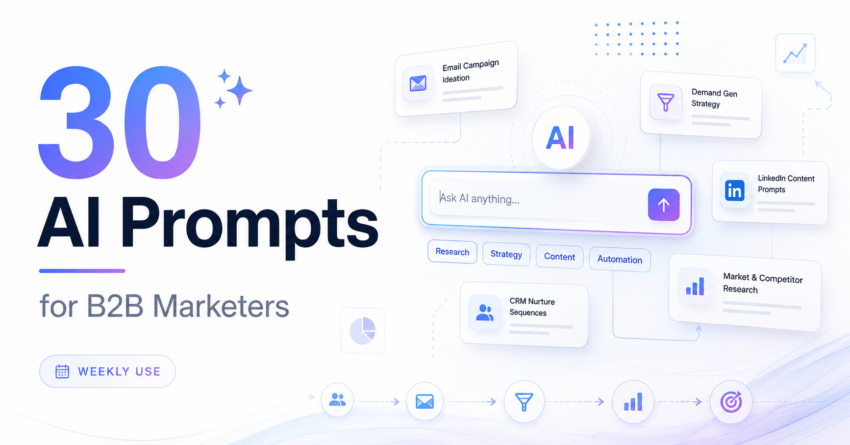
This guide gives you 30 copy-paste AI prompts built for real B2B marketing work.
Not generic prompts.
Not “write me a post” prompts.
Prompts you can use for pipeline-focused marketing work every week.
The article follows the approved brief structure, including the primary keyword, prompt categories, “why this works” notes, CTAs, and FAQ improvements from your uploaded feedback.
Quick Answer
The best AI prompts for B2B marketers include role, ICP, channel, task, and output format. Use them weekly for content, outbound, SEO, campaign planning, reporting, and sales enablement to save 5–6 hours per week.
What This Blog Covers
- Why most AI prompts fail for B2B marketers
- How to structure a strong B2B AI prompt
- Content and copywriting prompts
- Lead generation and outbound prompts
- SEO and AEO prompts
- Campaign strategy prompts
- Analytics and reporting prompts
- Sales enablement prompts
- How to turn these prompts into a weekly workflow
- FAQs
Why Most AI Prompts Fail for B2B Marketers
Most prompts fail because they are too lazy.
“Write a LinkedIn post.”
“Create an email campaign.”
“Give me blog ideas.”
That may work for casual content. It does not work for B2B marketing.
B2B marketing has layers. ICP. Buying committee. Funnel stage. Pain points. Sales cycle. Deal size. Objections. Product maturity. Market category. Channel intent.
AI cannot guess all of that.
When you give a weak prompt, AI fills the gaps with generic advice. That is why the output sounds like every other post online.
The better approach is simple: give AI the same context you would give a good marketer on your team.
Tell it who the audience is. Tell it the goal. Tell it the channel. Tell it what not to do. Tell it the output format.
That is when AI becomes useful.
How to Structure a Strong B2B AI Prompt
A strong B2B AI prompt gives the tool context, direction, and guardrails. Without that, you get generic output that looks useful but rarely helps real marketing work.
Use this structure before every prompt
Tell AI who it should act as.
Explain the product, market, and situation.
Define the ICP, buyer, or persona.
Say exactly what output you need.
Add data, notes, URLs, or examples.
Ask for a table, list, brief, or copy block.
Set tone, length, style, and what to avoid.
Bad Prompt
Too vagueWrite a LinkedIn post about our CRM software.
Better Prompt
SpecificAct as a senior B2B demand generation marketer. Context: We sell CRM software to SaaS founders at companies with 50–200 employees. Their main pain is poor pipeline visibility and messy lead handoff between marketing and sales. Task: Create 5 LinkedIn post hooks for a campaign about fixing pipeline leaks using CRM automation. Audience: SaaS founders and marketing leaders. Tone: Practical, sharp, non-salesy, and written for LinkedIn. Output format: Table with 3 columns: hook, angle, and why it works. Constraints: Avoid hype, avoid generic AI language, and keep each hook under 18 words.
The difference is simple: the bad prompt gives you generic CRM benefits. The better prompt gives you specific ideas around pipeline leaks, sales handoff, founder pain, and revenue visibility.
Content and Copywriting Prompts
Use these when you need faster first drafts for blogs, LinkedIn posts, email campaigns, landing pages, and social captions.
Blog Outline Prompt
Use this when you want SEO structure before writing the article.
Act as a senior B2B content strategist.

Create a detailed blog outline for the topic: [insert topic].

Audience: [insert ICP].
Primary keyword: [insert keyword].
Search intent: [informational/commercial/problem-aware].
Business goal: [traffic/leads/demo requests/newsletter signups].

Include:
1. SEO title
2. H1
3. Meta description
4. Intro angle
5. H2/H3 structure
6. Quick answer section
7. FAQ ideas
8. Internal link suggestions
9. CTA placement

Keep the tone practical, experienced, and written for a B2B decision-maker.
LinkedIn Hook Prompt
Use this when your post idea is good but the opening feels weak.
Act as a B2B marketing leader writing for LinkedIn.

Create 15 LinkedIn hooks for this topic: [insert topic].

Audience: [insert audience].
Pain point: [insert pain point].
Desired reaction: make the reader stop scrolling and think, “This is exactly my problem.”

Format the output as a table with:
Hook
Angle
Why it works

Constraints:
No hype.
No motivational quotes.
No generic AI language.
Keep each hook under 20 words.
Email Subject Line Prompt
Use this to get different angles instead of repeated subject lines.
Act as an email marketing strategist for a B2B SaaS company.

Create 20 subject lines for an email campaign promoting [insert offer].

Audience: [insert ICP].
Funnel stage: [awareness/consideration/decision].
Pain point: [insert pain point].
Email goal: [book demo/download guide/register for webinar].

Group the subject lines into:
Curiosity-based
Problem-based
Outcome-based
Direct offer-based

Keep them human, short, and under 45 characters where possible.
Landing Page Copy Prompt
Use this when the page needs clear conversion-focused structure.
Act as a conversion copywriter for B2B landing pages.

Write landing page copy for [insert offer/product].

Audience: [insert ICP].
Problem: [insert problem].
Desired action: [book demo/download/register/contact sales].
Proof points: [insert proof points].
Objections: [insert objections].

Create:
Hero headline
Subheadline
3 benefit bullets
Problem section
Solution section
Social proof section
CTA copy
FAQ section

Keep the copy clear, specific, and focused on business outcomes.
Social Caption Repurposing Prompt
Use this to turn one blog section into multiple LinkedIn posts.
Act as a B2B social media strategist.

Repurpose this blog section into 5 social media captions for LinkedIn.

Input: [paste blog section].

Audience: [insert ICP].
Goal: drive comments, saves, and clicks.
Tone: sharp, useful, and practical.

Create:
1 short caption
1 story-led caption
1 contrarian caption
1 checklist-style caption
1 question-led caption

Add a simple CTA at the end of each.
Lead Generation and Outbound Prompts
Use these prompts to refine ICPs, improve outbound relevance, build follow-ups, and create practical scoring logic.
ICP Refinement Prompt
Use this before building a lead list or campaign audience.
Act as a B2B demand generation strategist.

Help me refine the ICP for [insert product/service].

Current audience: [insert current audience].
Best customers so far: [insert customer types].
Worst-fit customers: [insert poor-fit customers].
Main value proposition: [insert value prop].

Create:
1. Ideal company profile
2. Buyer personas
3. Pain points by persona
4. Buying triggers
5. Disqualification signals
6. Messaging angles
7. Best channels to reach them
Cold Email First-Line Prompt
Use this to create specific openers without sounding creepy.
Act as an outbound copywriter.

Create personalized first-line ideas for cold emails targeting [insert ICP].

Use these data points:
Company: [insert company]
Role: [insert role]
Trigger: [funding/hiring/tool used/recent launch/job post]
Pain point: [insert pain point]

Create 5 first lines that feel specific but not creepy.

Constraints:
No fake praise.
No “I noticed.”
No long intros.
Keep each line under 22 words.
Clay-Style Personalization Prompt
Use this to turn signals into relevant outbound angles.
Act as a RevOps and outbound personalization expert.

I have a lead list with these fields:
Company name
Website
Industry
Employee count
Recent job posts
Tech stack
Funding status
Target persona

Create personalization logic for outbound emails.

Output:
1. Signal used
2. What it may mean
3. Email angle
4. First-line example
5. CTA suggestion

Keep the output in a table.
Follow-Up Sequence Prompt
Use this when follow-ups sound repetitive or pushy.
Act as a B2B sales email strategist.

Create a 4-step follow-up sequence for prospects who did not reply to the first email.

Audience: [insert ICP].
Offer: [insert offer].
Pain point: [insert pain point].
Original email angle: [insert angle].

Create:
Follow-up 1: value reminder
Follow-up 2: proof point
Follow-up 3: pain-based angle
Follow-up 4: polite breakup

Keep each email under 90 words.
Lead Scoring Logic Prompt
Use this to create simple rules for MQL and SQL handoff.
Act as a B2B marketing operations specialist.

Create a simple lead scoring model for [insert company/product].

Inputs:
ICP fit criteria: [insert]
Engagement signals: [insert]
High-intent actions: [insert]
Negative signals: [insert]

Output:
1. Fit score
2. Engagement score
3. Intent score
4. Negative score
5. MQL threshold
6. SQL handoff rule

Keep the model simple enough for HubSpot, Zoho, or Salesforce.
Building your outbound stack?
Read my full comparison of Instantly vs Apollo vs Clay to understand which tool fits your workflow.
SEO and AEO Prompts
Use these prompts to plan smarter content, improve answer visibility, and build stronger SEO structure.
Keyword Clustering Prompt
Use this to group keywords by intent and topic.
Act as an SEO strategist for a B2B marketing blog.

Cluster these keywords by search intent and topic relevance.

Keywords: [paste keywords].

Create:
1. Primary topic cluster
2. Supporting keywords
3. Search intent
4. Suggested blog title
5. Funnel stage
6. Internal link opportunity

Format the output as a table.
Meta Description Prompt
Use this to create SEO snippets with clear benefit and character count.
Act as an SEO copywriter.

Write 10 meta descriptions for this blog topic: [insert topic].

Primary keyword: [insert keyword].
Audience: [insert audience].
Search intent: [insert intent].

Rules:
140–160 characters.
Use the primary keyword once.
Make the benefit clear.
Avoid hype.
Avoid duplicate phrasing.

Format as a table with character count.
FAQ Generation Prompt
Use this to build FAQ answers that work for readers and search.
Act as an AEO and SEO content strategist.

Generate 6 FAQ questions for this blog: [insert blog title].

Audience: [insert ICP].
Primary keyword: [insert keyword].
Secondary keywords: [insert secondary keywords].

For each FAQ:
Write a direct 2–4 line answer.
Use natural language.
Target search questions people actually ask.
Avoid filler.

Format the output for FAQ schema.
Topic Gap Analysis Prompt
Use this before publishing to find missing angles and weak sections.
Act as a B2B SEO strategist.

Compare my blog outline with the top-ranking articles for this keyword: [insert keyword].

My outline: [paste outline].

Find:
1. Missing subtopics
2. Weak sections
3. Overused angles
4. Differentiation opportunities
5. FAQ gaps
6. Internal link opportunities

Keep the advice practical and prioritized.
LLM-Friendly Intro Prompt
Use this to make intros clearer for humans and AI answers.
Act as an AEO and LLM search optimization expert.

Rewrite this blog intro so it is clear, direct, and easy for AI systems to understand.

Primary keyword: [insert keyword].
Audience: [insert audience].
Problem: [insert problem].
Blog promise: [insert promise].

Rules:
Use the keyword in the first 100 words.
Start with the problem.
Give a direct answer early.
Avoid generic openings.
Keep paragraphs short.

Input intro: [paste intro].
Campaign Strategy Prompts
Use these prompts to build stronger briefs, messaging, channel plans, tests, and budget arguments.
Campaign Brief Prompt
Use this before campaign execution starts.
Act as a senior B2B campaign strategist.

Create a campaign brief for [insert campaign idea].

Audience: [insert ICP].
Goal: [pipeline/MQLs/demo requests/event registrations].
Offer: [insert offer].
Budget: [insert budget].
Timeline: [insert timeline].

Include:
Objective
Audience insight
Core message
Channel plan
Content assets
Success metrics
Risks
Sales follow-up plan
Persona Messaging Matrix Prompt
Use this to avoid one-size-fits-all messaging.
Act as a B2B product marketing strategist.

Create a messaging matrix for these personas: [insert personas].

Product: [insert product].
Market: [insert market].
Core value proposition: [insert value prop].

For each persona, include:
Pain point
Business impact
Message angle
Proof point
Objection
CTA

Format as a table.
Channel Prioritization Prompt
Use this when the team is trying to do too many channels at once.
Act as a B2B growth marketer.

Help me prioritize marketing channels for this campaign.

Campaign goal: [insert goal].
Audience: [insert ICP].
Budget: [insert budget].
Team size: [insert team size].
Existing channels: [insert channels].

Rank the channels by:
Expected impact
Effort
Speed
Cost
Fit with buyer behavior

Give a final recommendation.
A/B Test Planning Prompt
Use this to test ideas with a clear reason, not random guesses.
Act as a conversion optimization specialist.

Create an A/B testing plan for [landing page/email/ad campaign].

Current problem: [insert problem].
Goal: [insert goal].
Audience: [insert audience].

Suggest 5 test ideas.

For each test, include:
Hypothesis
Variable to test
Expected impact
Success metric
Priority level
Budget Rationale Prompt
Use this to explain marketing spend in business language.
Act as a B2B marketing leader preparing a budget recommendation.

Create a budget rationale for this campaign: [insert campaign].

Budget requested: [insert amount].
Goal: [insert goal].
Channels: [insert channels].
Expected outcomes: [insert outcomes].

Write:
1. Executive summary
2. Why this budget is needed
3. Expected impact
4. Risks of underfunding
5. Measurement plan
Analytics and Reporting Prompts
Use these prompts to turn campaign numbers, dashboard data, and performance shifts into clear business stories.
Executive Summary From Raw Metrics
Use this when leadership needs the story, not just numbers.
Act as a B2B marketing analytics lead.

Turn these campaign numbers into an executive summary.

Data: [paste metrics].

Include:
What happened
What improved
What declined
Likely reasons
Business impact
Recommended next actions

Keep it clear enough for a CEO or sales leader.
Dashboard Commentary Prompt
Use this to make dashboards easier to understand.
Act as a marketing operations analyst.

Write dashboard commentary for this monthly marketing report.

Metrics: [paste data].
Audience: leadership team.
Goal: explain performance clearly.

Create:
1. Summary paragraph
2. Key wins
3. Key concerns
4. What we should do next
5. Questions to discuss

Avoid jargon.
Campaign Diagnosis Prompt
Use this when a campaign missed the mark and needs real fixes.
Act as a demand generation expert.

Diagnose why this campaign underperformed.

Campaign goal: [insert goal].
Audience: [insert audience].
Channels used: [insert channels].
Results: [paste results].
Benchmark: [insert benchmark].

Analyze:
Targeting
Message
Offer
Channel fit
Landing page
Follow-up
Measurement

Give prioritized fixes.
Anomaly Explanation Prompt
Use this when a metric suddenly spikes or drops.
Act as a marketing analyst.

Explain this unusual performance change.

Metric affected: [insert metric].
Change: [insert change].
Time period: [insert period].
Campaigns running: [insert campaigns].
Website or CRM changes: [insert changes].

Give:
3 likely reasons
Data to check
Recommended next step
Next-Step Recommendation Prompt
Use this to turn reporting into action planning.
Act as a senior growth marketer.

Based on this campaign report, recommend the next 5 actions.

Report: [paste report].
Goal: [insert goal].
Constraints: [budget/team/time].

For each action, include:
Priority
Expected impact
Effort
Owner
Success metric
Reporting shortcut: paste your numbers, then ask AI to find the story. That is where analytics prompts become useful for leadership updates.
Sales Enablement Prompts
Use these prompts to support sales with better battle cards, objection handling, proposals, case studies, and win/loss insights.
Battle Card Prompt
Use this when sales needs a short, practical competitor asset.
Act as a B2B product marketing manager.

Create a sales battle card for competing against [insert competitor].

Our product: [insert product].
Competitor: [insert competitor].
Target buyer: [insert buyer].
Our strengths: [insert strengths].
Competitor strengths: [insert strengths].

Include:
Positioning
Key differentiators
Discovery questions
Objection responses
Proof points
Talk track
Objection Handling Prompt
Use this to help sales respond with context, not canned replies.
Act as a sales enablement strategist.

Create objection handling responses for [insert product/service].

Audience: [insert buyer].
Common objections: [paste objections].
Tone: helpful, confident, not defensive.

For each objection, provide:
What the buyer really means
Best response
Proof point to use
Follow-up question
Case Study Draft Prompt
Use this to turn customer notes into a proof asset.
Act as a B2B case study writer.

Create a case study draft from these notes.

Customer: [insert customer type].
Problem: [insert problem].
Solution: [insert solution].
Results: [insert results].
Quote: [insert quote if available].

Structure:
Challenge
Solution
Implementation
Results
Business impact
Short summary
Proposal Summary Prompt
Use this to make sales proposals clearer for decision-makers.
Act as a B2B sales proposal writer.

Create an executive summary for this proposal.

Client: [insert client].
Problem: [insert problem].
Recommended solution: [insert solution].
Expected outcomes: [insert outcomes].
Timeline: [insert timeline].

Make it clear, persuasive, and easy for a decision-maker to understand.
Win/Loss Analysis Prompt
Use this to connect sales learning back to marketing strategy.
Act as a revenue marketing leader.

Analyze these won and lost deals.

Won deals: [paste notes].
Lost deals: [paste notes].
Target market: [insert market].

Find:
Patterns in won deals
Patterns in lost deals
Common objections
Best-fit customer signals
Weak-fit customer signals
Messaging improvements
Campaign recommendations

Want to Collaborate?
Open to guest posts, partnerships, link collaborations, and marketing discussions. If you’re building something interesting, let’s connect.
Connect on LinkedIn